See the work happening
Tool and delegated-task events become readable activity. Your Gateway decides what runs; the screen shows the events it receives.
 JARVIS HORIZON
Turn a spare Android screen or Raspberry Pi into a voice-first display for OpenClaw. See it listen, work, and bring your home into view.
Open source · Public alpha · Bring your own Gateway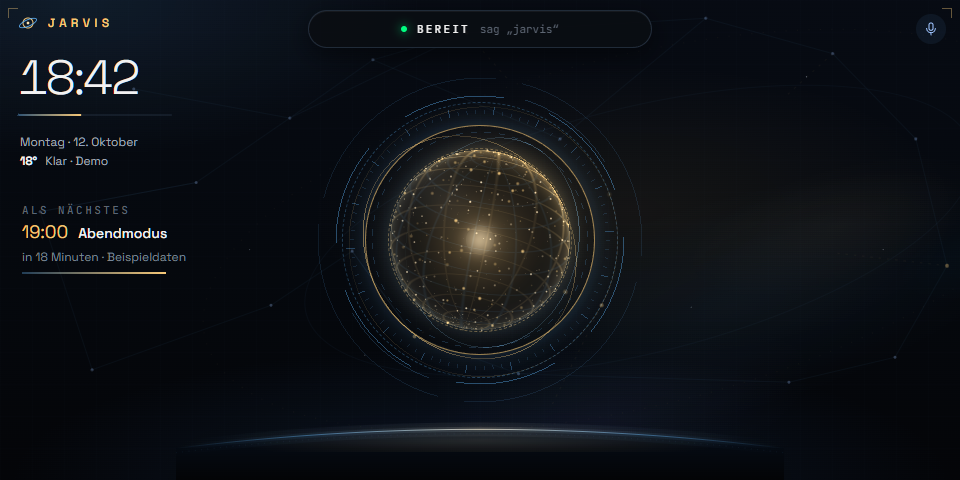
Loading the Horizon renderer…
Real frontend, simulated events. No microphone, account, camera stream or home connection. The alpha display uses German labels; music and voice levels are simulated without audio.
An orbital animation and a quick tour of the actual screen layouts. Synthetic data, no sound. Easy to watch, easy to share.
Download the video ↗The tablet in a drawer. A display behind a mirror. A screen by the kitchen. Horizon gives your existing assistant a visible home, with local wake-word listening and context supplied by your own backend.
Check device compatibility ↗Tool and delegated-task events become readable activity. Your Gateway decides what runs; the screen shows the events it receives.
Portrait and landscape layouts, an orbital voice visualization, contextual views and a moving ambient clock.
Keep your Gateway, identity, provider and integrations. Local wake detection opens the voice path you configure.
For installation, you need an OpenClaw Gateway you operate, device pairing and a realtime provider for Talk. Explore the demo without any of them.
v0.1.0-alpha.1 · Downloads, checksums & sourceOpenClaw backend. Hermes adapter not yet included.
A good device report helps the next person reuse their hardware. Share your setup, measured performance and what still needs work.